
Score
0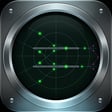
Pocket TRACON
Air Traffic Control Simulator
Best
0Operations
0Incidents
0 / 3Rank
Trainee
Mode
Casual
1x
2x
3x
Start session
Pause
Restart
Tutorial
Radar scope
WX VMC
Vector aircraft
Select a flight, then drag on the radar to set a direct track or final intercept.
Tap an aircraft to issue commands
-
-
Left 15°
Right 15°
Descend -1000
Climb +1000
Slow
Fast
Hold
Clear vector
Clear to land
Release departure
Pocket TRACON
Operations menu
Keys
Close
Scenarios
1 / 4Airport
KTRNCoastal Regional
Wind
270 / 12 kt
Sim speed
1x / 2x / 3x
Runways
Briefing
Primary objective
Controller tips
1. Select an arrival or departure from the radar or flight strips.
2. Use quick commands or drag on the radar to shape its path.
3. Keep aircraft separated, align arrivals with final, and release departures when the runway is free.
4. Wind shifts and emergencies will force quick resequencing. Three incidents end the session.
Replay tutorialGuided practice
Select an aircraft
Tap a strip to select the aircraft.
Skip tutorial
Next
Pocket TRACON
Keyboard shortcuts
Aircraft commands
- [ ]
- Turn left / right
- - =
- Descend / climb
- , .
- Slow / fast
- H
- Hold
- V
- Clear vector
- L
- Clear to land
- R
- Release departure
Simulation
- Space
- Pause / resume
- 1 2 3
- Set sim speed
- M
- Mute / unmute
- ?
- Show / hide keys
Selection
- Tab
- Cycle aircraft, warnings first
- Esc
- Clear selection or close overlay
Session report
Session ended
Final score
0Best for this scenario
0
NEW BESTOperations
0
Peak combo
x0
Incidents
0 / 3
Rank
Trainee
Play again
Change scenario