
Loading...
Add New Node
Edit Node
Clear Canvas
Sure you want to clear the entire canvas? This action cannot be undone.
Delete Node
Are you sure you want to delete this node? This action cannot be undone.
Mind Map Instructions
Getting Started:
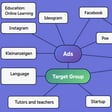
- Select a template from the dropdown to load a pre-made mind map
- Add custom nodes using the "Add Node" button with color and position options
- Import existing mind maps using the "Import Map" button
Node Operations:
- Move: Click and drag nodes to reposition them
- Edit: Double-click any node to edit, delete or change its color
- Delete: Right-click a node and select delete, or edit and choose delete
- Connect: Hold Shift and click two nodes to create a connection between them
- Disconnect: Hold Shift and click two connected nodes to remove the connection
Advanced Features:
- Use templates for common mind map structures
- Export your work as JSON to save and share (includes colors)
- Connections are automatically drawn and updated when nodes move
Tips:
- Use different node colors to categorize information
- Central nodes (blue) work well for main topics
- Secondary nodes (green) are great for subtopics
- Regular nodes (white) are perfect for details