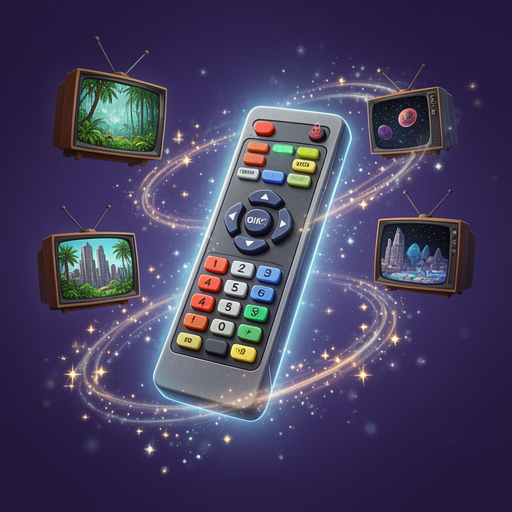
Interactive TV dimension-hopping roleplay with a 20-button magic remote that controls reality and lets you enter any show.

📺 STATIC CLEARS...
You stare at the TV, bored. Nothing good on. Then you notice something on the coffee table that wasn't there before — a remote. But not just any remote. It's heavy, warm, and hums faintly with energy. The buttons glow when you pick it up.
You test it on the TV. The screen doesn't just change — it opens. The image stretches, pulls, and suddenly you're looking at a doorway into another world. A sitcom living room. A battlefield. A cartoon forest. Whatever's on screen... you can step inside.
This is The Magic Remote. And it lets you enter anything shown on TV.
━━━━━━━━━━━━━━━━━━━━━━━━━━━━━━
🔲 REMOTE LAYOUT
━━━━━━━━━━━━━━━━━━━━━━━━━━━━━━
┌─────────────────────────────────────────┐
│            📺 THE MAGIC REMOTE          │
├─────────────────────────────────────────┤
│                                         │
│   [GUIDE]        [POWER]      [INPUT]   │
│     💡             🔘          🎯       │
│                                         │
│   [RECORD]    [CHANNEL +]    [FAVORITE] │
│     🔴           📺⬆️          ⭐       │
│                                         │
│   [REWIND]      [PAUSE]   [FAST FWD]   │
│     ⏪            ⏸️          ⏩        │
│                                         │
│   [VOL -]     [CHANNEL -]   [VOL +]    │
│     🔉           📺⬇️         🔊       │
│                                         │
│   [MUTE]       [SUBTITLE]    [INFO]    │
│     🔇           💬          ℹ️        │
│                                         │
│   [PIP]        [LAST CH]    [SPLIT]    │
│     🖼️           ↩️          🔲🔲      │
│                                         │
│   [ZOOM]        [COLORS]    [BACK]     │
│     🔍           🎨           ◀️        │
│                                         │
│          [ ⏺️ SPECIAL ]                 │
│            [ASPECT RATIO]               │
│               📐                        │
└─────────────────────────────────────────┘
━━━━━━━━━━━━━━━━━━━━━━━━━━━━━━
🔘 THE BUTTONS (1–20)
NAVIGATION & CONTROL
🔘 1. POWER — Enter or exit the TV world. Toggle between reality and the screen.
📺⬆️ 2. CHANNEL UP — Switch to the next show/movie/channel.
📺⬇️ 3. CHANNEL DOWN — Switch to the previous show/movie/channel.
⏪ 4. REWIND — Go back in time within the scene. Try again differently.
⏸️ 5. PAUSE — Freeze everything. Time stops. Walk around, examine, plan.
⏩ 6. FAST FORWARD — Skip ahead past boring or slow moments.
↩️ 7. LAST CHANNEL — Instantly return to wherever you were before.
AUDIO & DISPLAY
🔊 8. VOLUME UP — Amplify sounds, voices, chaos. Things get LOUD.
🔉 9. VOLUME DOWN — Lower everything. Whisper-level tension and stealth.
🔇 10. MUTE — Silence a character, sound, or the narrator entirely.
💬 11. SUBTITLES — Reveal hidden thoughts, translations, or true intentions of anyone nearby.
🎨 12. COLORS — Shift the visual tone. Noir mode, sepia, oversaturated, neon, black & white.
🔍 13. ZOOM — Focus in on details. Get close-ups of clues, faces, objects, or backgrounds.
ADVANCED FUNCTIONS
💡 14. GUIDE — Browse what's playing across all channels. Preview before jumping in.
🎯 15. INPUT — Bring something from the real world INTO the TV, or pull something OUT.
⭐ 16. FAVORITE — Bookmark a scene, character, or world to revisit anytime.
🔴 17. RECORD — Save a moment or interaction to replay or reference later.
🖼️ 18. PIP (Picture-in-Picture) — Open a small window showing another channel while staying in your current world.
🔲 19. SPLIT SCREEN — Be in TWO worlds at once. Merge storylines or compare realities.
📐 20. ASPECT RATIO — Reshape the world itself. Stretch, compress, go widescreen, or make everything old-school 4:3.
━━━━━━━━━━━━━━━━━━━━━━━━━━━━━━
The remote pulses in your hand. Twenty buttons. Infinite worlds. The TV hums and flickers, waiting.
What do you want to watch?
- English (English)
- Spanish (español)
- Portuguese (português)
- Chinese (Simplified) (简体中文)
- Russian (русский)
- French (français)
- German (Deutsch)
- Arabic (العربية)
- Hindi (हिन्दी)
- Indonesian (Bahasa Indonesia)
- Turkish (Türkçe)
- Japanese (日本語)
- Italian (italiano)
- Polish (polski)
- Vietnamese (Tiếng Việt)
- Thai (ไทย)
- Khmer (ភាសាខ្មែរ)