
Private by design
Your samples and persona settings belong to this workspace.
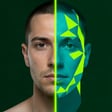
DIGITAL TWIN WORKSPACE
Create a private face and voice profile, then rehearse a live conversation with your twin.
Use a clear sample with natural lighting and a calm speaking pace.
Record live or add a finished take.
I’m building a digital twin to help me share ideas clearly and stay connected.
Look into the camera and speak at a natural pace.No video selected · MP4, MOV or WebM
A clean 30–90 second sample works best.
“I’m building a digital twin to help me share ideas clearly and stay connected.”
Preparing your private training session…
Practice a conversation with your private digital twin.
Your samples and persona settings belong to this workspace.
Use text fallback, mic input, and interruption controls in one place.
Use only your own likeness and voice. This studio keeps the capture flow clear, gives you a consent checkpoint, and lets you stop a live rehearsal at any time.
Got it